How It Works
The Productivity Tool You Always Wish You Had
Canvo is built by students, for students
Canvo is built by students, for students
Get your work done so you can train for that marathon, rank up to Gold III, or just have a day with zero stress.
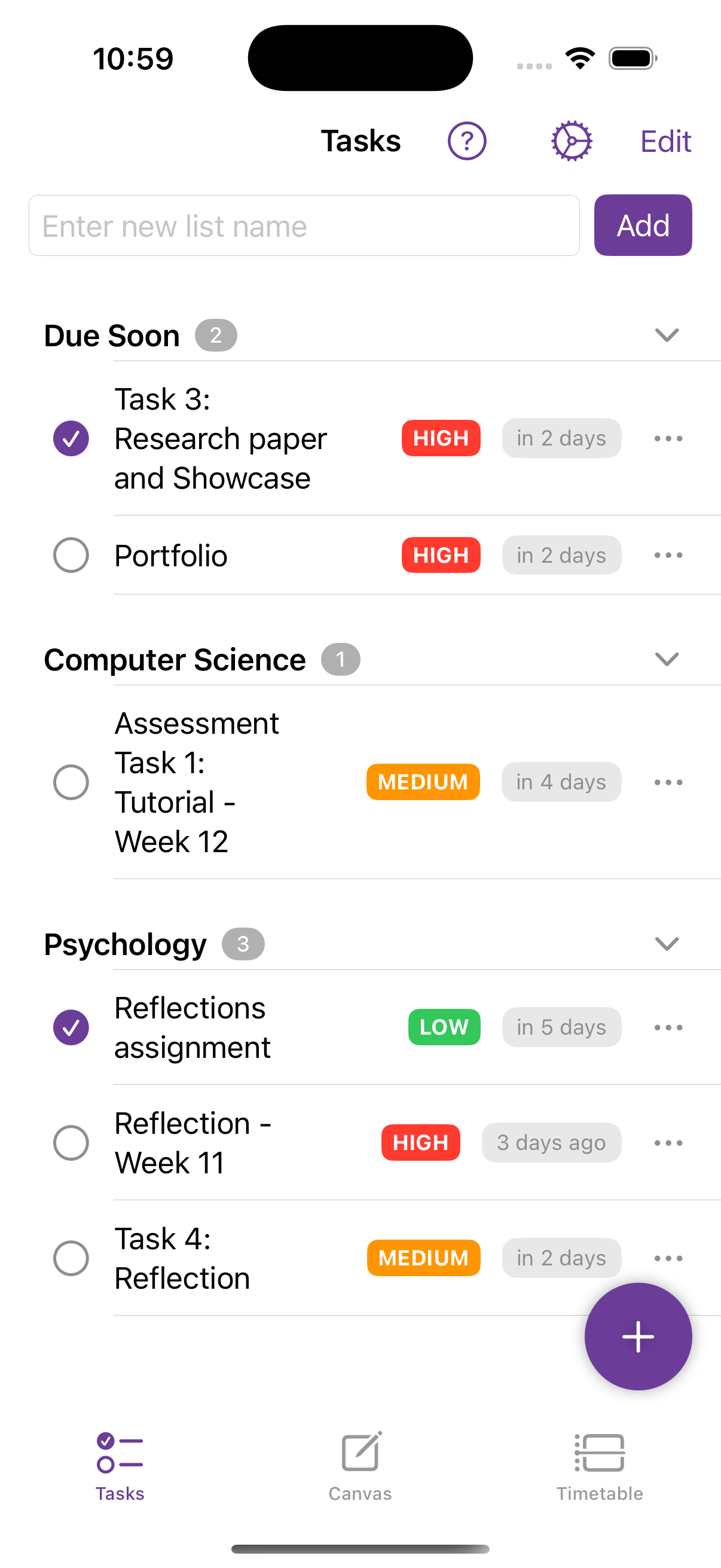
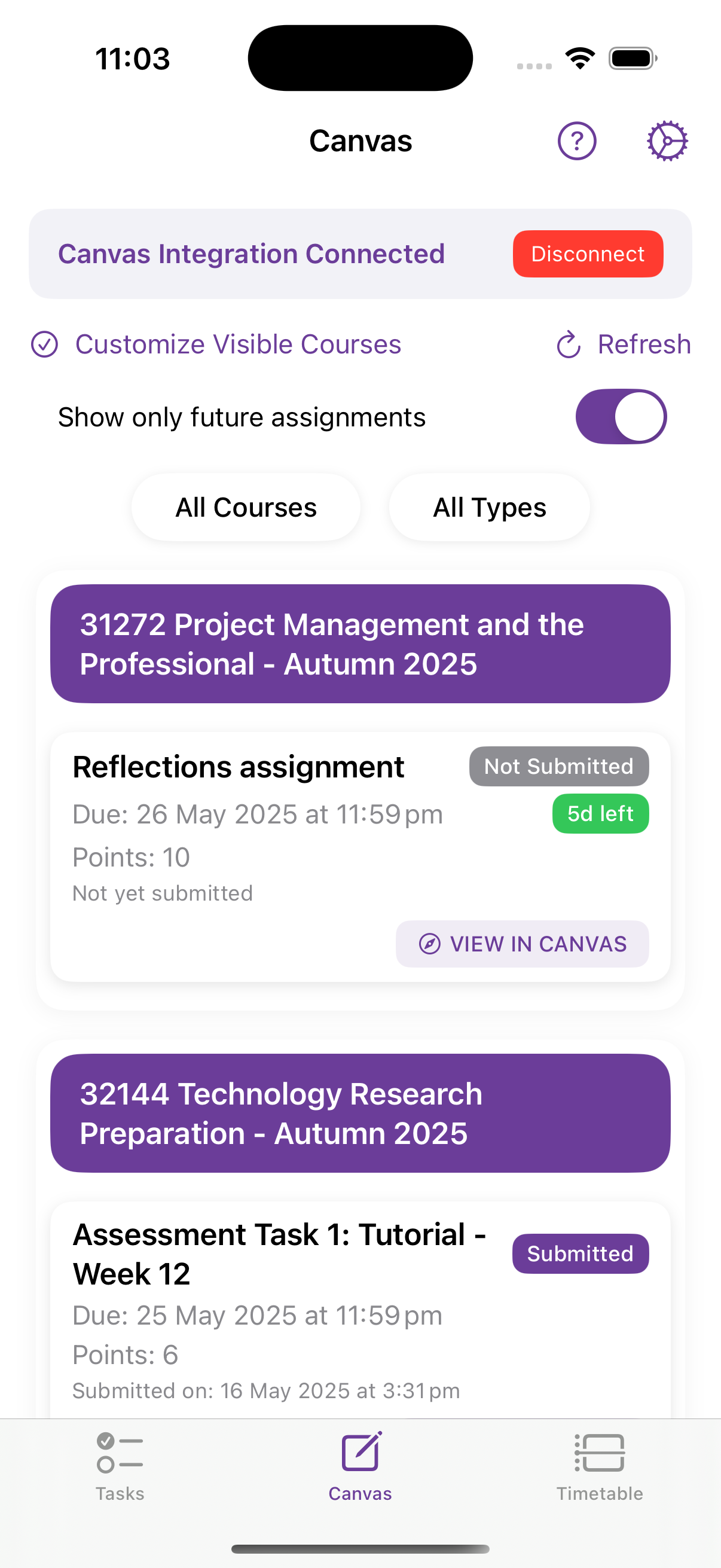
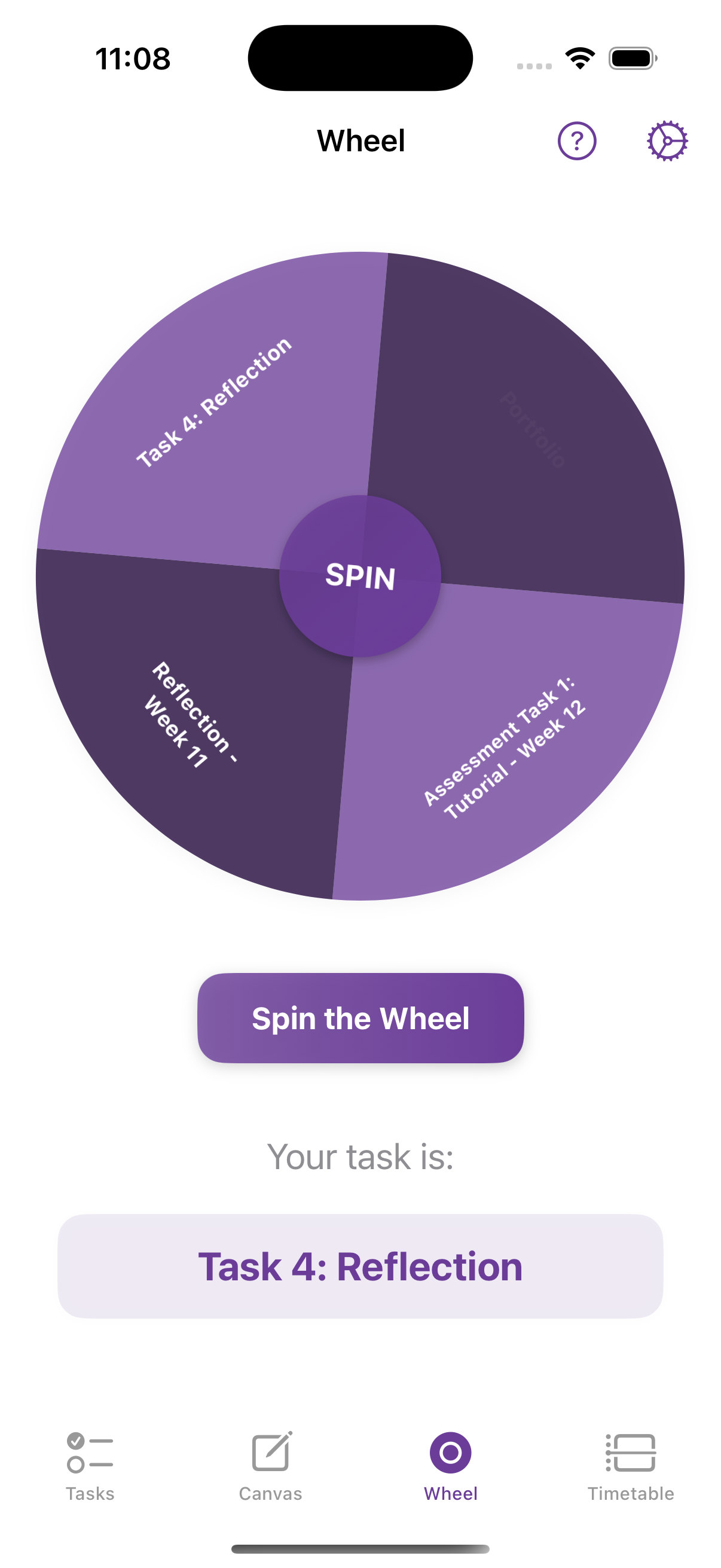
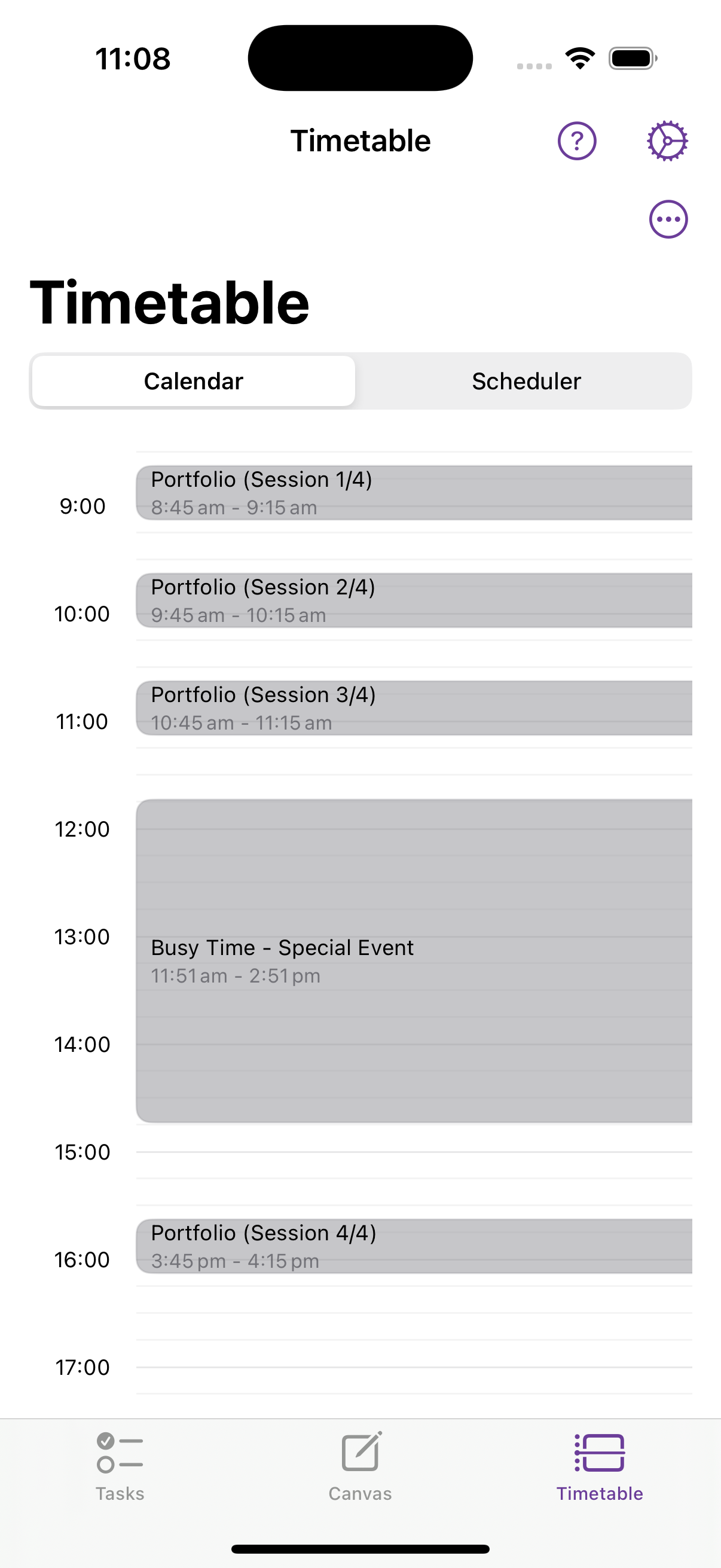
"I used to get flooded with Canvas deadlines at once and miss half of them. Now I open Canvo and all my tasks are just there. It reminds me every day until I do it — I haven't missed a thing since."
"I'd write to-do lists, then forget I even wrote them. Canvo's auto-sync with Canvas and daily nudges are the only reason I know what I'm supposed to be doing each day."
"I was constantly stressed because I never knew when I'd actually have time to study. The timetable feature literally builds my week around my schedule — I just follow it."
"Procrastination would eat my whole day. I'd stare at my task list for hours. Now I just spin the wheel and start. It removes the decision paralysis completely."
"I had notes in one app, tasks in another, deadlines in Canvas… it was chaos. Canvo brings it all into one place. I can finally breathe and just focus on doing, not finding."
"I'd always study too late and burn out. Canvo helps me plan ahead with gentle notifications that feel like a friend tapping my shoulder — not an alarm screaming at me."
"I'd always forget about smaller assignments until the last minute. Now Canvo adds them automatically and reminds me every day until they're done. I'm finally ahead."
"Before Canvo, I felt like I was either working constantly or doing nothing out of guilt. Now I finish early and actually enjoy my nights out. That balance changed everything."
"I used to scroll endlessly because I didn't know where to start. The wheel snapped me out of that. It's playful, but it's also the only reason I've touched some of my hardest tasks."
"I have ADHD. Most apps feel like more clutter. Canvo keeps it visual, simple, and smart. It shows me just what I need to do, and when. It's like my second brain."
Get started with Canvo and experience a new way of living. Available now on iOS.
Follow these steps:
Everything syncs automatically in under 60 seconds.
Some universities do not allow students to generate a Canvas access token by default. Visit our Access Token Guide for a detailed email template to request access from your IT department or Canvas administrator.
No. Canvo pulls your tasks and due dates straight from Canvas — all automated.
You can import your Apple Calendar directly. Canvo will automatically plan your study time around your busy hours — no conflicts, no extra work. Google Calendar sync is coming soon.
It's our anti-procrastination feature. Tap the wheel and Canvo picks a task to get you started when motivation is low.
Yes — and early access users (first 500) get it free forever. You'll be part of the founding community helping shape the app.
That's literally why we built it. Canvo helps you focus, finish, and free your mind for the things that matter most.